> ## Documentation Index
> Fetch the complete documentation index at: https://docs.sprello.ai/llms.txt
> Use this file to discover all available pages before exploring further.
# Connections and data types
> How images, video, and text flow between nodes, and what can connect to what.
Edges carry data from one node to another. Every connection has a **type**—image, video, or text—and Sprello only allows connections that make sense. This keeps your workflow valid as you build.
## What connects to what
| Data type | Produced by | Accepted by |
| --------- | --------------------------- | --------------------------------------------------------------------------------------------- |
| **Image** | Image Input, Generate Image | Generate Image (as reference), Generate Video (as source frame), Generate Text (as reference) |
| **Text** | Text Input, Generate Text | Generate Image, Generate Video, Generate Text (as the prompt) |
| **Video** | Video Input, Generate Video | Video Input (to feed another video) |
A few connections aren't allowed, because the model can't use them—for example, a video output can't feed an image generator's reference slot. Sprello blocks these as you draw them.
## Connections fill in prompts and references
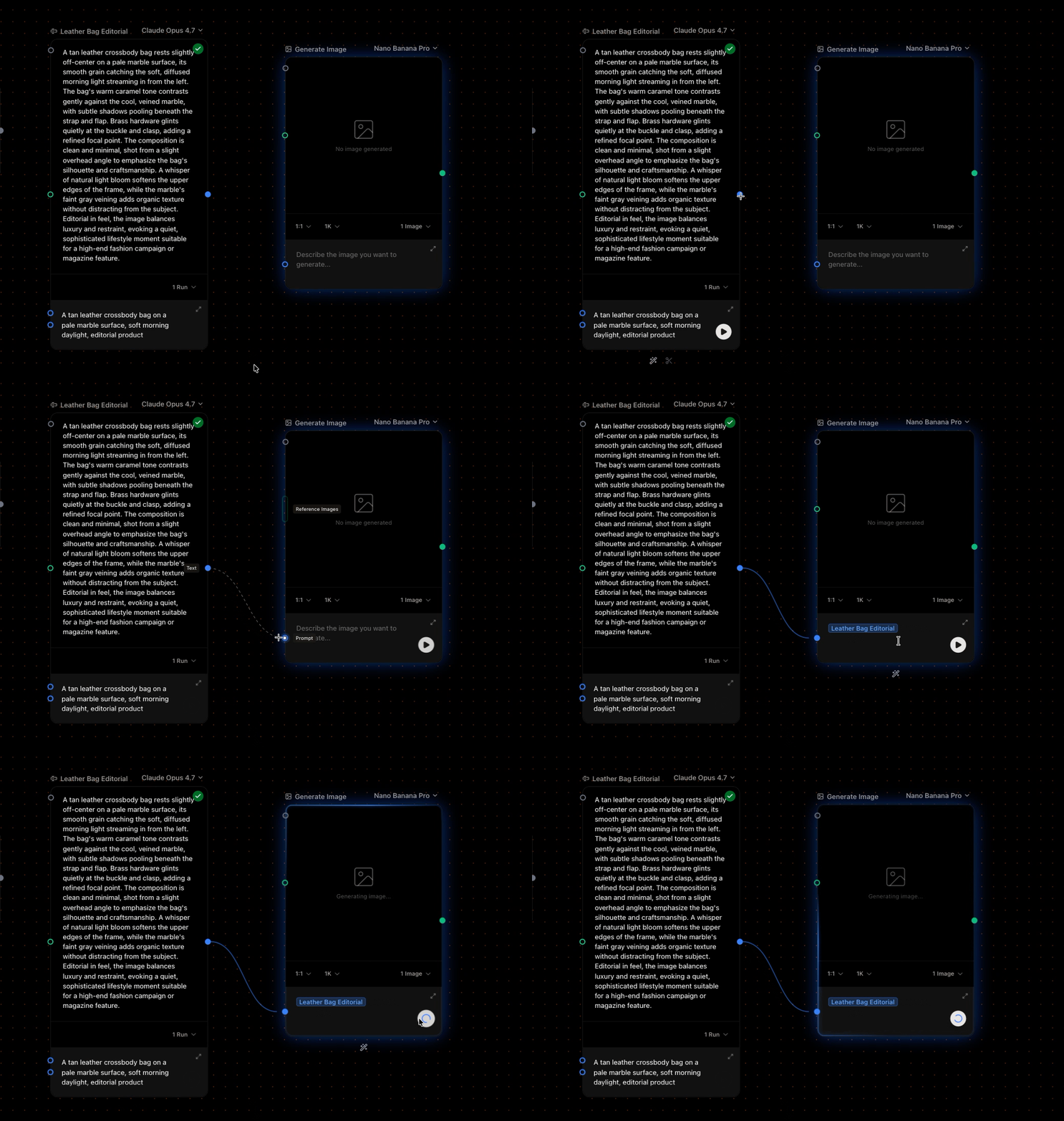
When you connect a node into a generator, Sprello wires it in automatically:
* **Text → a generator** adds a reference badge like `@Product description` to the prompt. The generator resolves it to the real text when it runs.
* **Image → a generator's reference slot** adds the image as a reference. (Generate Image and Generate Text accept reference images; Generate Video uses an image as a source frame.)
You can mix typed text and references freely in a prompt: write your own wording around the `@` badges.
 ## Connection limits
* A generator's **reference image** slot has a maximum that depends on the model—some accept a few references, others many. Sprello checks capacity before allowing a new connection.
* Single-value slots accept one connection.
## Edges are the source of truth
A reference only means something if there's an edge behind it. Remove the connection and Sprello cleans the matching `@` reference out of the prompt for you—so prompts never point at nodes that aren't wired in.
## Next
Each vs All: one result per item, or all combined.
Pair two sets of inputs together.
## Connection limits
* A generator's **reference image** slot has a maximum that depends on the model—some accept a few references, others many. Sprello checks capacity before allowing a new connection.
* Single-value slots accept one connection.
## Edges are the source of truth
A reference only means something if there's an edge behind it. Remove the connection and Sprello cleans the matching `@` reference out of the prompt for you—so prompts never point at nodes that aren't wired in.
## Next
Each vs All: one result per item, or all combined.
Pair two sets of inputs together.