> ## Documentation Index
> Fetch the complete documentation index at: https://docs.sprello.ai/llms.txt
> Use this file to discover all available pages before exploring further.
# Generating variations
> Generate one result per item, or combine items into a single generation.
This is the pattern that turns one workflow into a whole set of results. When an input holds **more than one item**, you decide how those items reach the generator: each on its own, or all together. That single choice is the difference between getting ten images and getting one.
You make the choice with the **Each / All** toggle on the input node.
 ## Each: one result per item
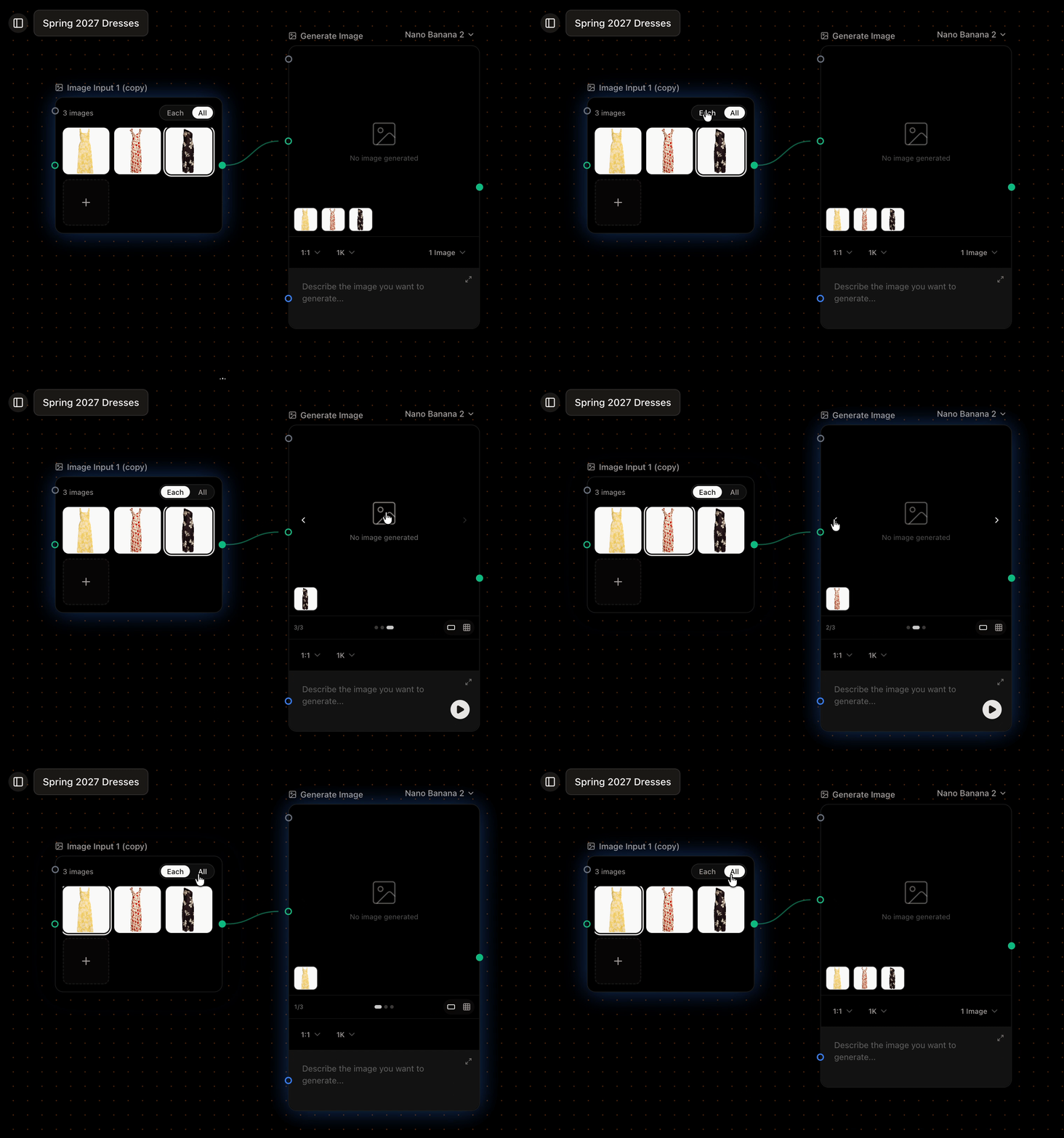
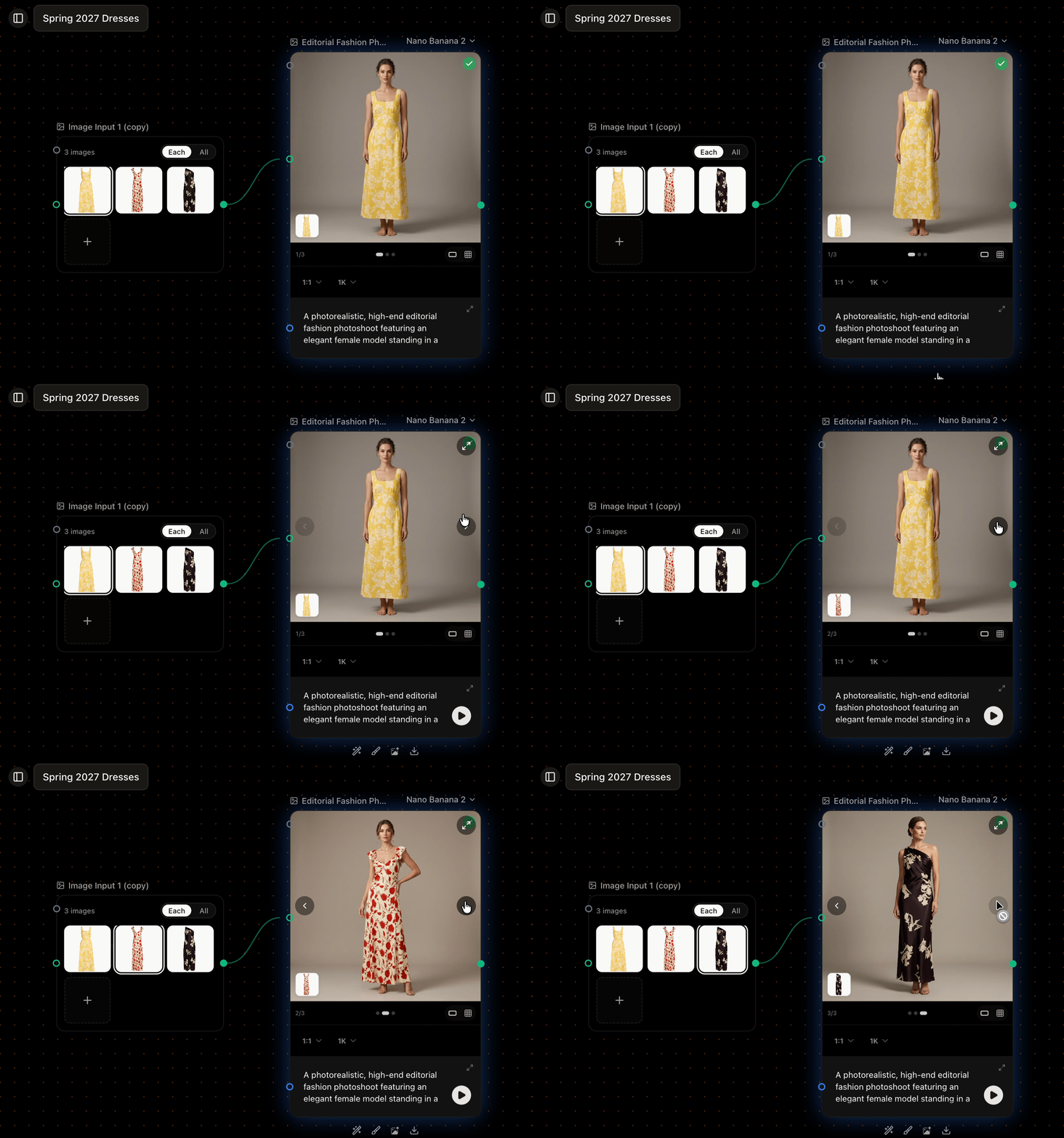
In **Each** mode, every item starts its own generation. This is the default. Ten product photos become ten images; four prompts become four. The results are independent, so you can review them and keep the ones that work.
## Each: one result per item
In **Each** mode, every item starts its own generation. This is the default. Ten product photos become ten images; four prompts become four. The results are independent, so you can review them and keep the ones that work.
 ## All: items combined into one
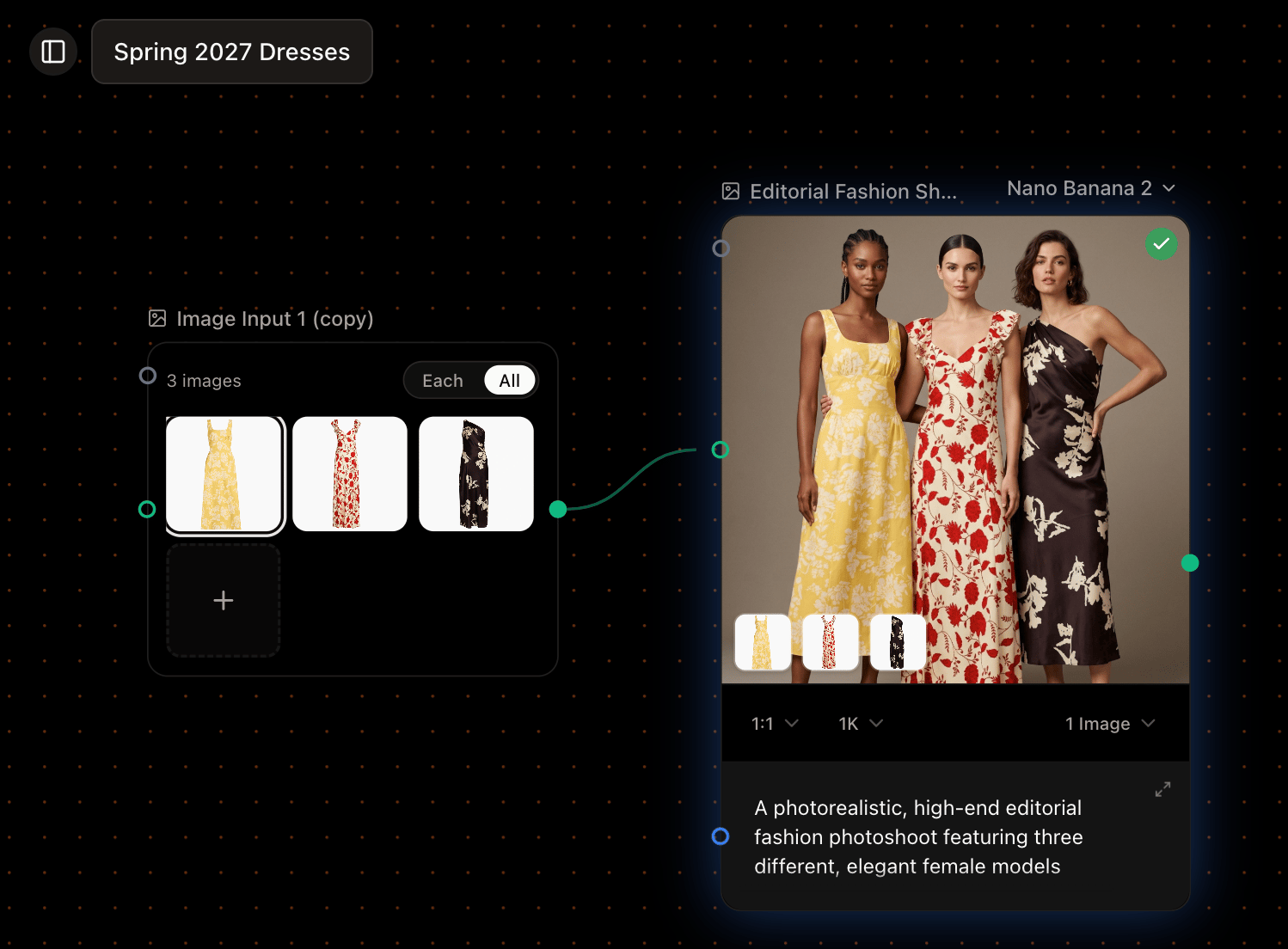
In **All** mode, the items are bundled and sent together as a single generation. Use it when several inputs should shape *one* result—for example, three brand references guiding a single new image.
## All: items combined into one
In **All** mode, the items are bundled and sent together as a single generation. Use it when several inputs should shape *one* result—for example, three brand references guiding a single new image.
 ## Which should I use?
* Reach for **Each** when each item should produce its own result—generating a set, exploring options, or running one prompt across many products.
* Reach for **All** when the items work together toward one result—combining reference images, or blending several inputs into a single generation.
## Mix the modes
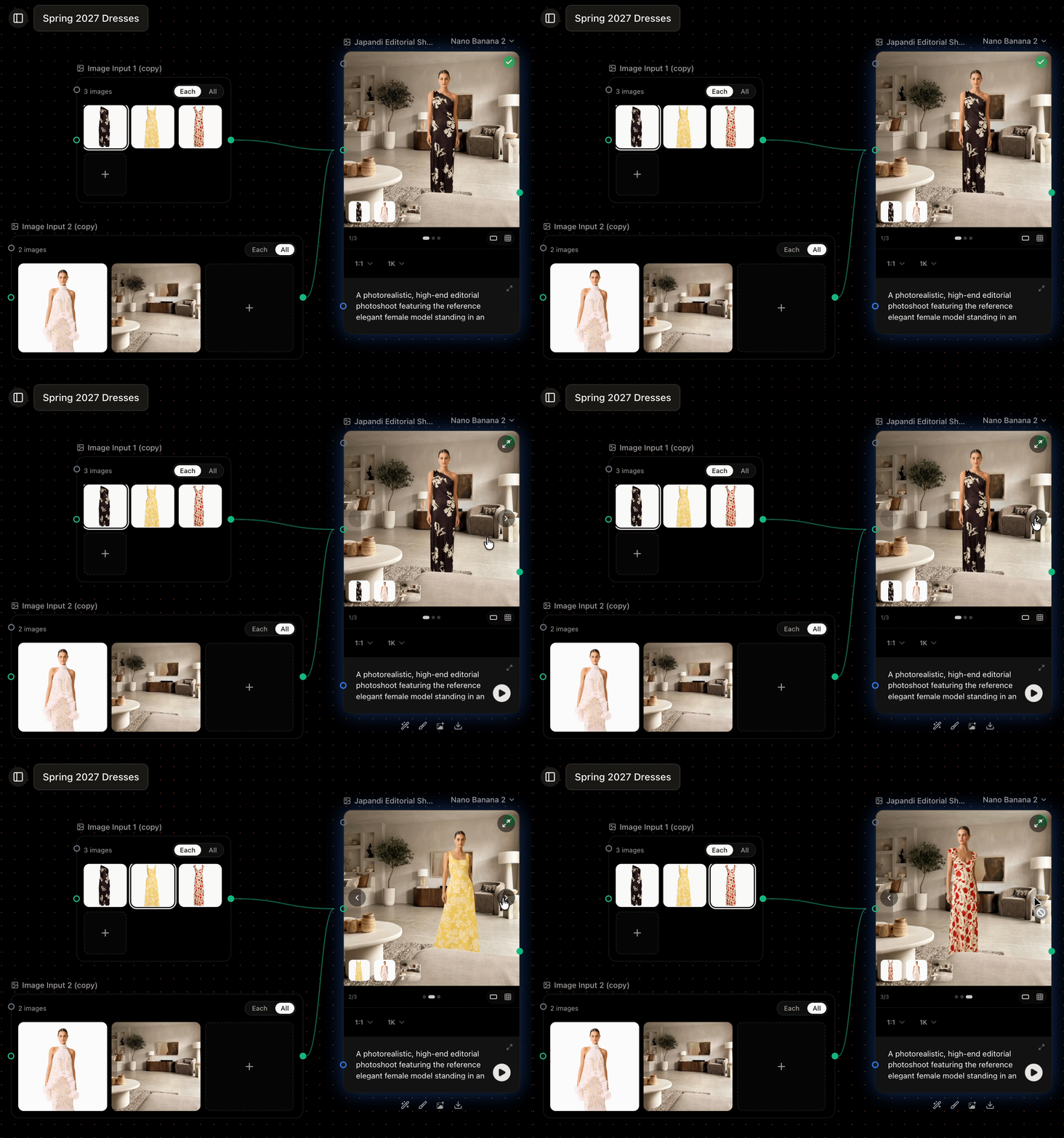
You can set one input to Each and another to All on the same generator. The **Each** input decides how many results you get; the **All** input is applied to every one of them. Ten products in Each mode, with three brand references in All mode, gives ten images—each using all three references.
## Which should I use?
* Reach for **Each** when each item should produce its own result—generating a set, exploring options, or running one prompt across many products.
* Reach for **All** when the items work together toward one result—combining reference images, or blending several inputs into a single generation.
## Mix the modes
You can set one input to Each and another to All on the same generator. The **Each** input decides how many results you get; the **All** input is applied to every one of them. Ten products in Each mode, with three brand references in All mode, gives ten images—each using all three references.
 ## When two sets need combining
If two **independent** multi-item sources feed the same generator in Each mode, the result is ambiguous—Sprello can't tell which item should pair with which. It asks you to add a [Combinator](/concepts/combinator) to define the pairing, switch one source to All, or restructure.
## Good to know
* A single node can expand to at most **500 items**. If a combination would exceed that, Sprello blocks the run and asks you to reduce inputs.
* Generations run a few at a time and the rest queue, so large sets finish in waves.
* Switching a source between Each and All recalculates the result count. Existing results aren't deleted—switch back and they reconnect, no re-generation needed.
## Next
Pair every product with every material—or match them one to one.
## When two sets need combining
If two **independent** multi-item sources feed the same generator in Each mode, the result is ambiguous—Sprello can't tell which item should pair with which. It asks you to add a [Combinator](/concepts/combinator) to define the pairing, switch one source to All, or restructure.
## Good to know
* A single node can expand to at most **500 items**. If a combination would exceed that, Sprello blocks the run and asks you to reduce inputs.
* Generations run a few at a time and the rest queue, so large sets finish in waves.
* Switching a source between Each and All recalculates the result count. Existing results aren't deleted—switch back and they reconnect, no re-generation needed.
## Next
Pair every product with every material—or match them one to one.