> ## Documentation Index
> Fetch the complete documentation index at: https://docs.sprello.ai/llms.txt
> Use this file to discover all available pages before exploring further.
# Text Input
> Hold one or more text entries to use as prompts or context.
A Text Input node holds the words you bring to a workflow—prompts, product names, descriptions, or context for a generator to build on.
## Add text
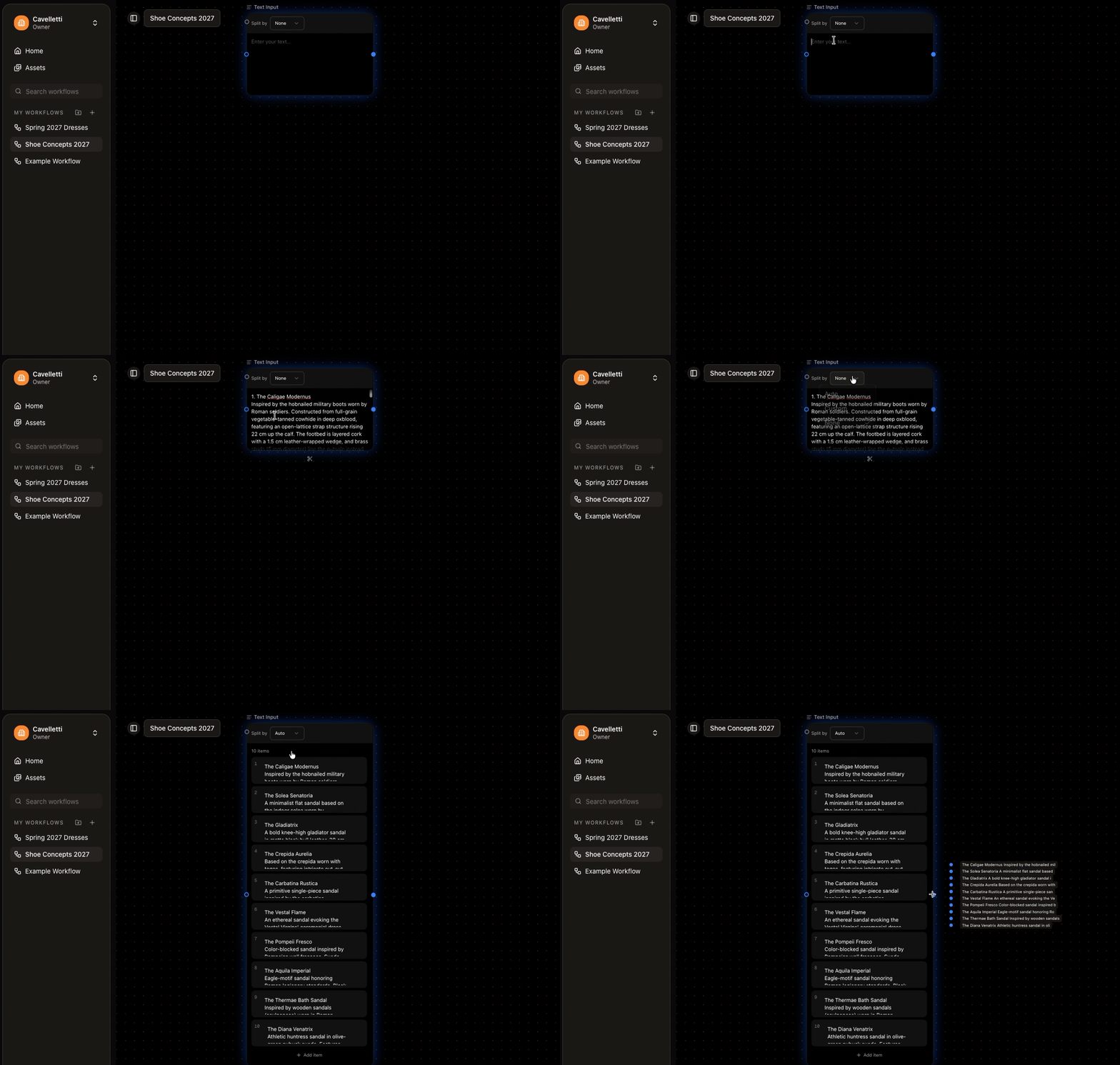
Type directly into the node, or paste in a larger block. A Text Input can hold a **single entry or many**.
## Split a block into items
Paste a list and split it into separate items, so each one flows downstream on its own. Sprello can split by:
* Numbered list
* Bulleted list
* Paragraphs (blank lines)
* A JSON array
* A custom delimiter you choose
Empty segments are skipped by default. Splitting is what turns "ten product names" into ten separate generations.
 ## Each or All
Use the [Each / All toggle](/concepts/variations) to decide how multiple entries behave: **Each** runs a generation per entry, **All** sends them together.
## Connect it
Connect a Text Input to a generator and it becomes part of that generator's **prompt**, shown as a reference badge like `@Product names`. Write your own wording around the badge to shape the result.
## Each or All
Use the [Each / All toggle](/concepts/variations) to decide how multiple entries behave: **Each** runs a generation per entry, **All** sends them together.
## Connect it
Connect a Text Input to a generator and it becomes part of that generator's **prompt**, shown as a reference badge like `@Product names`. Write your own wording around the badge to shape the result.
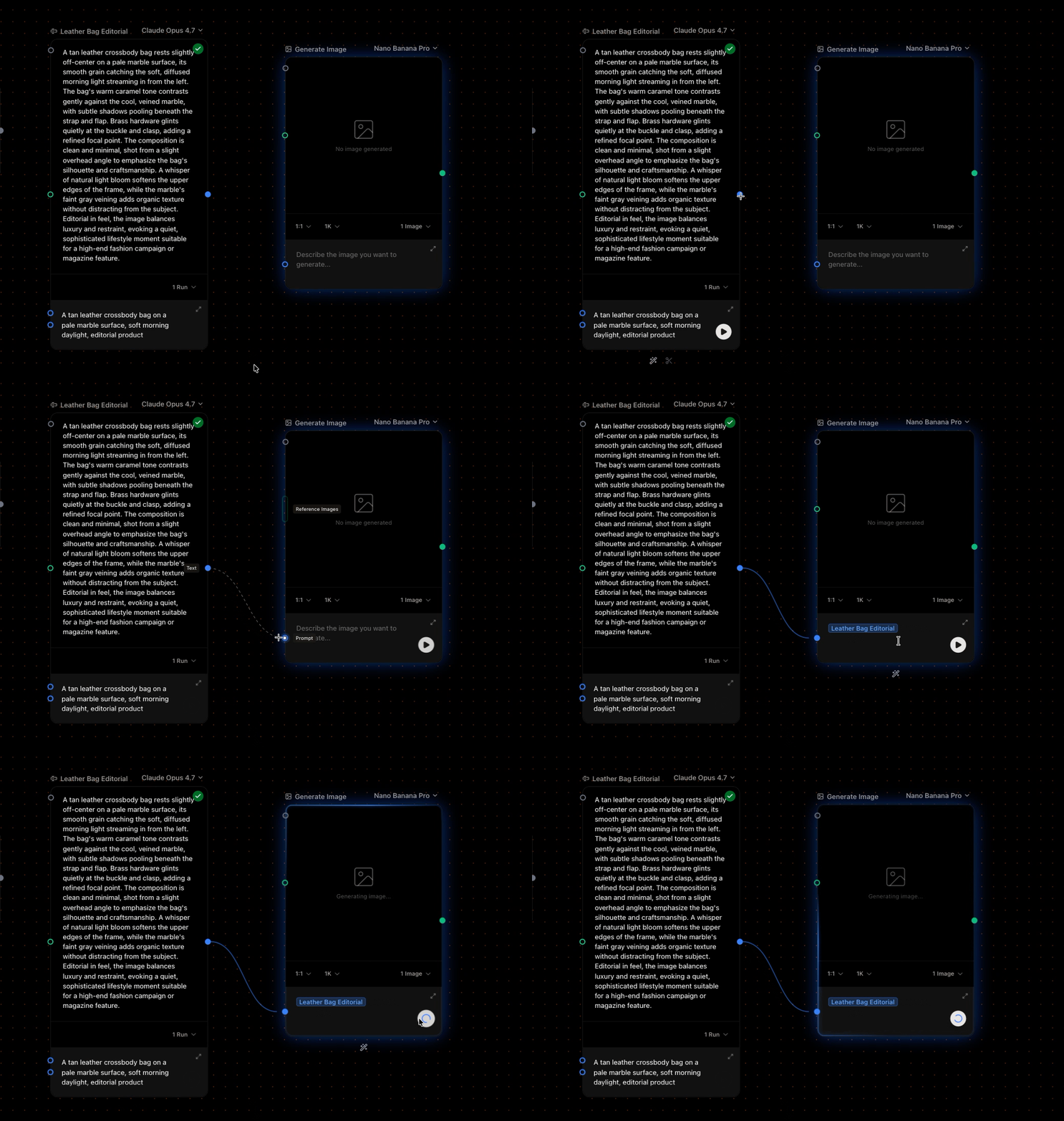 Paste a season's product list, split by line, and connect it to Generate Image to get one image per product in a single run.