

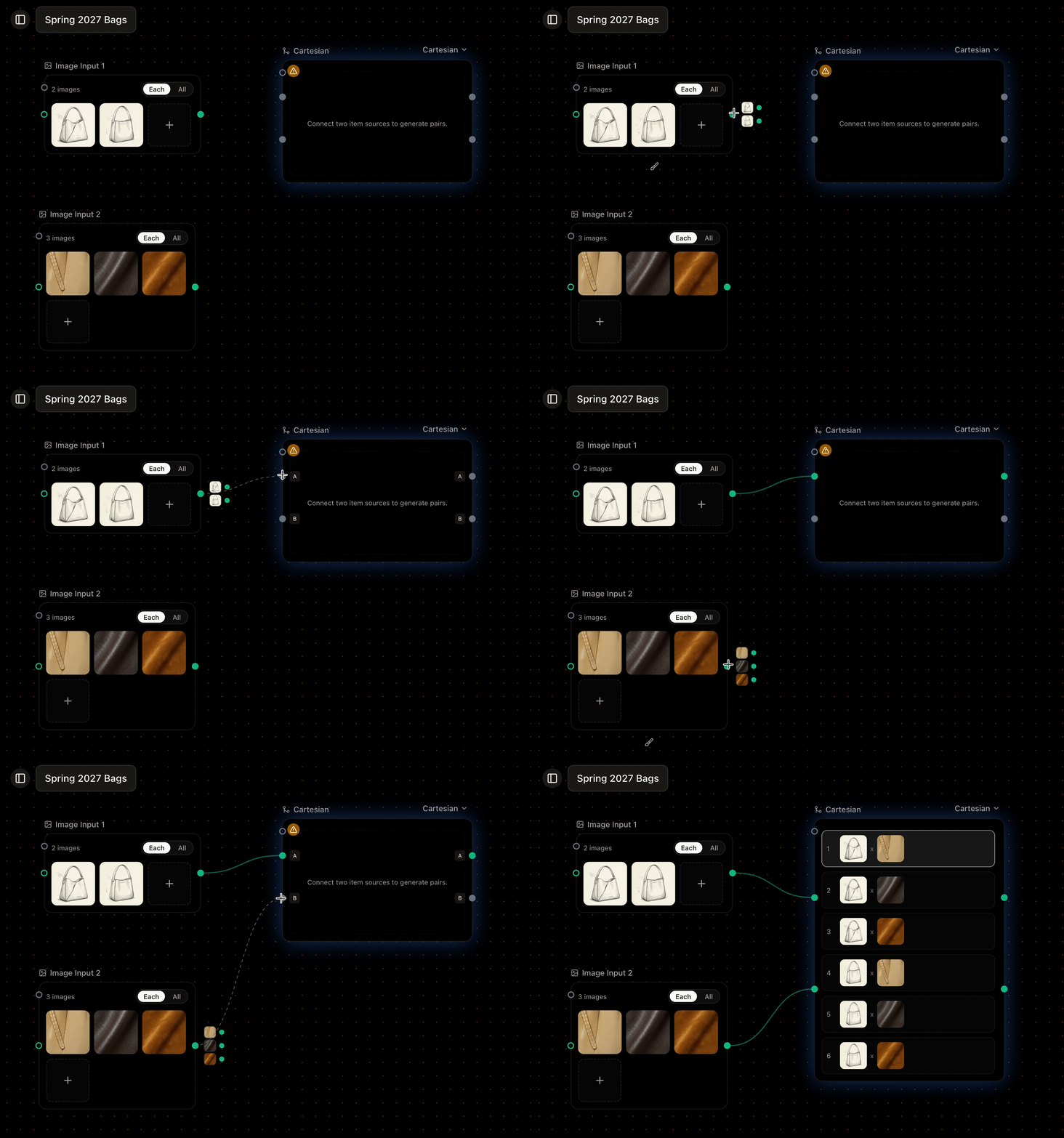
A Combinator pairing two input sets before a generator
Cartesian: every combination
Cartesian pairs every item in A with every item in B. Three products and four materials make twelve pairs—and twelve generations.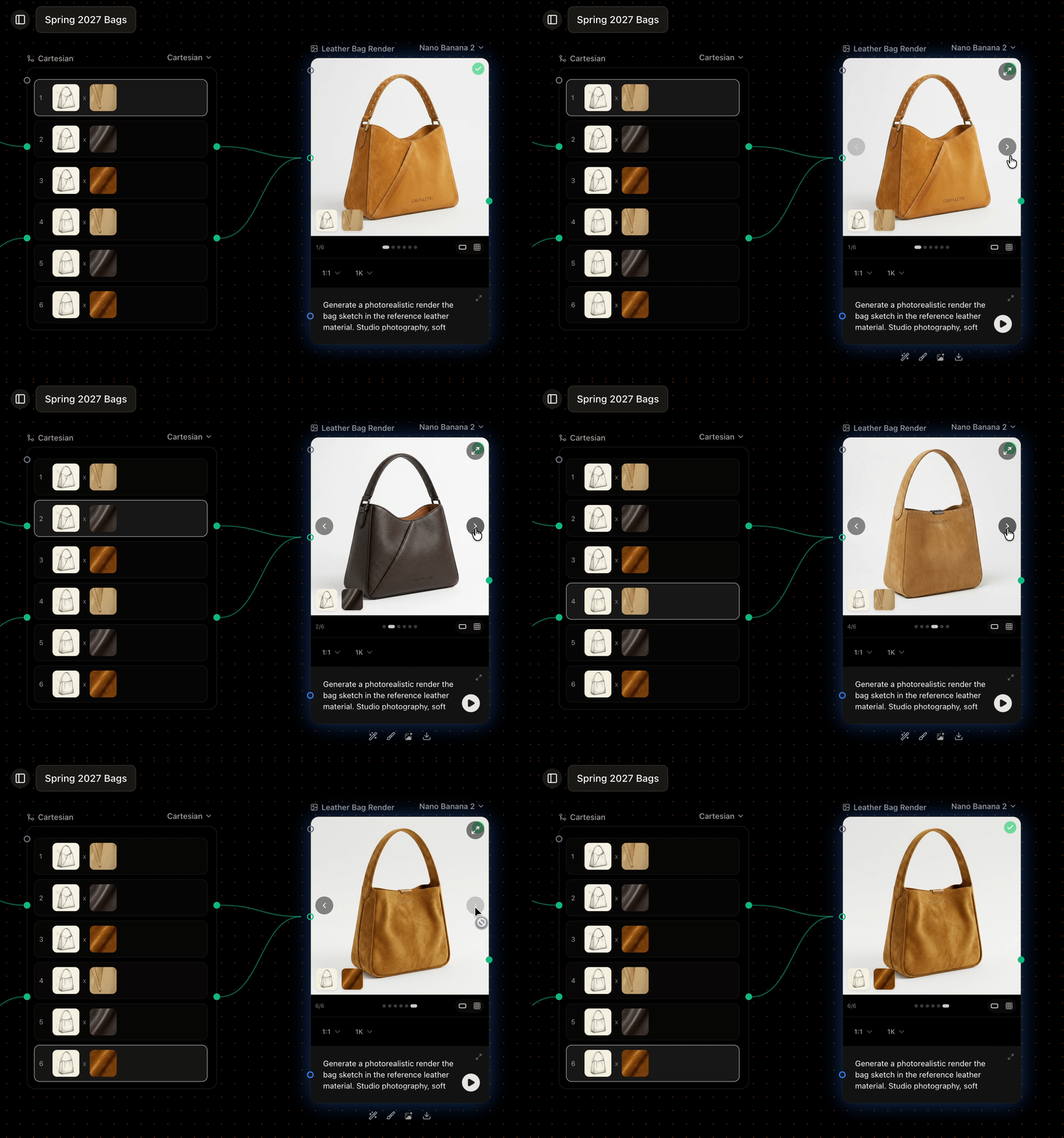
Every product paired with every material
Paired: one to one
Paired matches items by position: A1 with B1, A2 with B2, and so on. Use it when your two sets line up—five products with their five named colorways.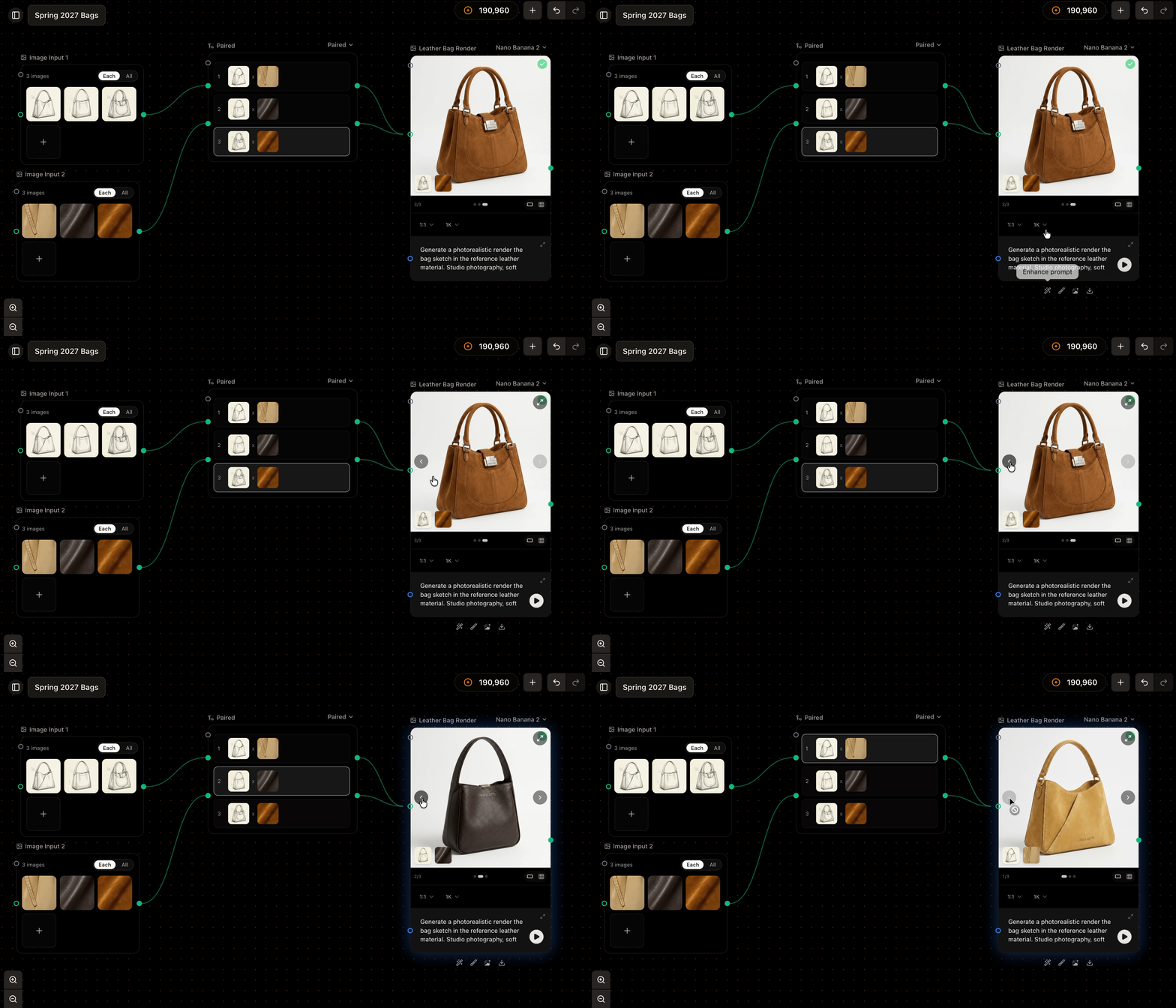
Two sets matched one to one by position
When you don’t need a Combinator
If you want every item in one set to use the same fixed references, you don’t need a Combinator. Set the varying source to Each and the fixed one to All, and connect both straight to the generator. See mixing modes. Reach for the Combinator when both sides vary.Good to know
- The 500-items-per-node cap applies to the combined total. Twenty by thirty is six hundred—over the limit—so Sprello blocks it and asks you to reduce a side.
- The two sources must share a clear relationship. Two unrelated iterating branches can’t be combined, because there’s no consistent way to line their items up; Sprello flags this when it happens.
Next
Generating and reviewing results
Run your workflow and review everything it produced.