

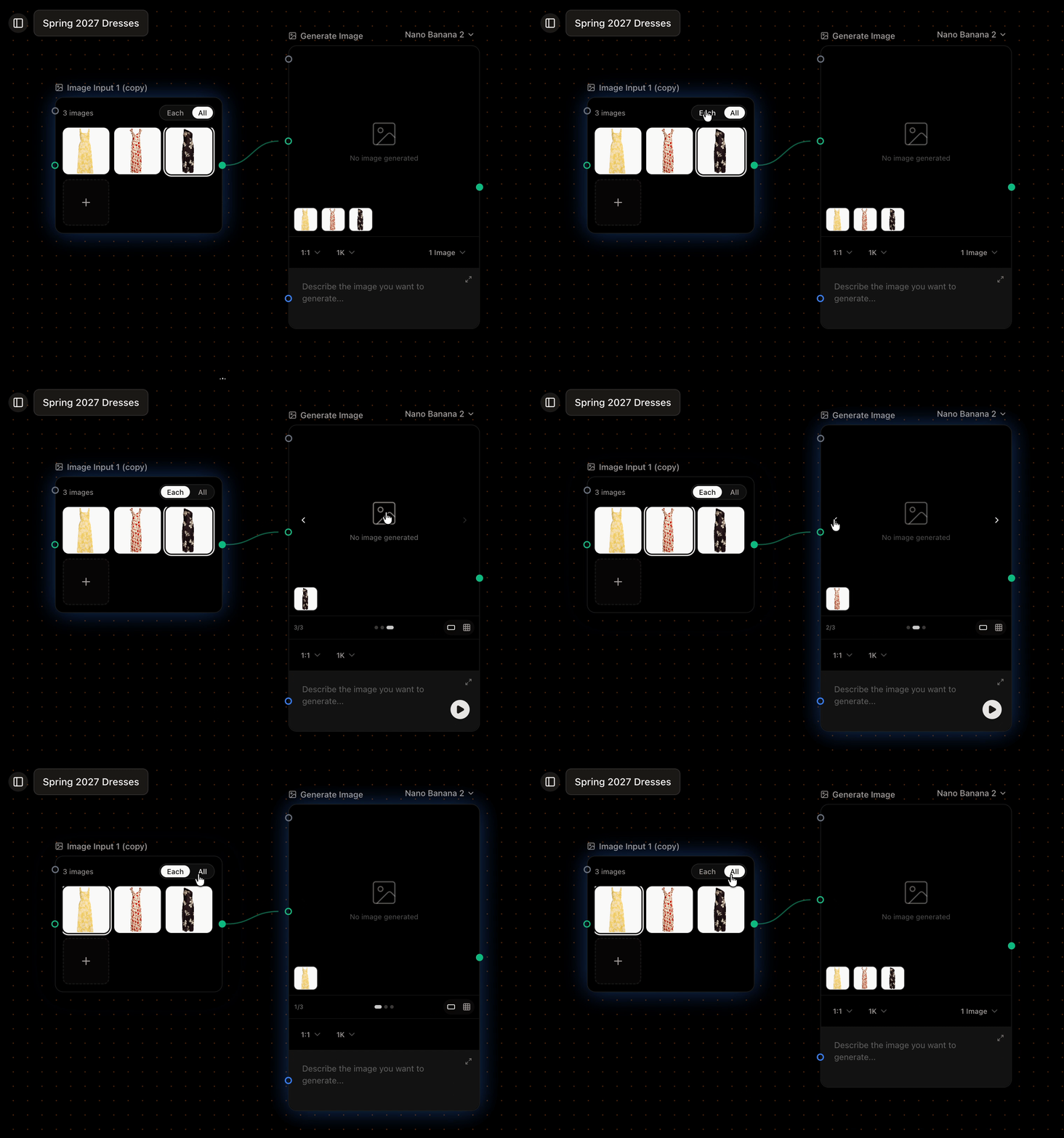
Switching an input between Each and All
Each: one result per item
In Each mode, every item starts its own generation. This is the default. Ten product photos become ten images; four prompts become four. The results are independent, so you can review them and keep the ones that work.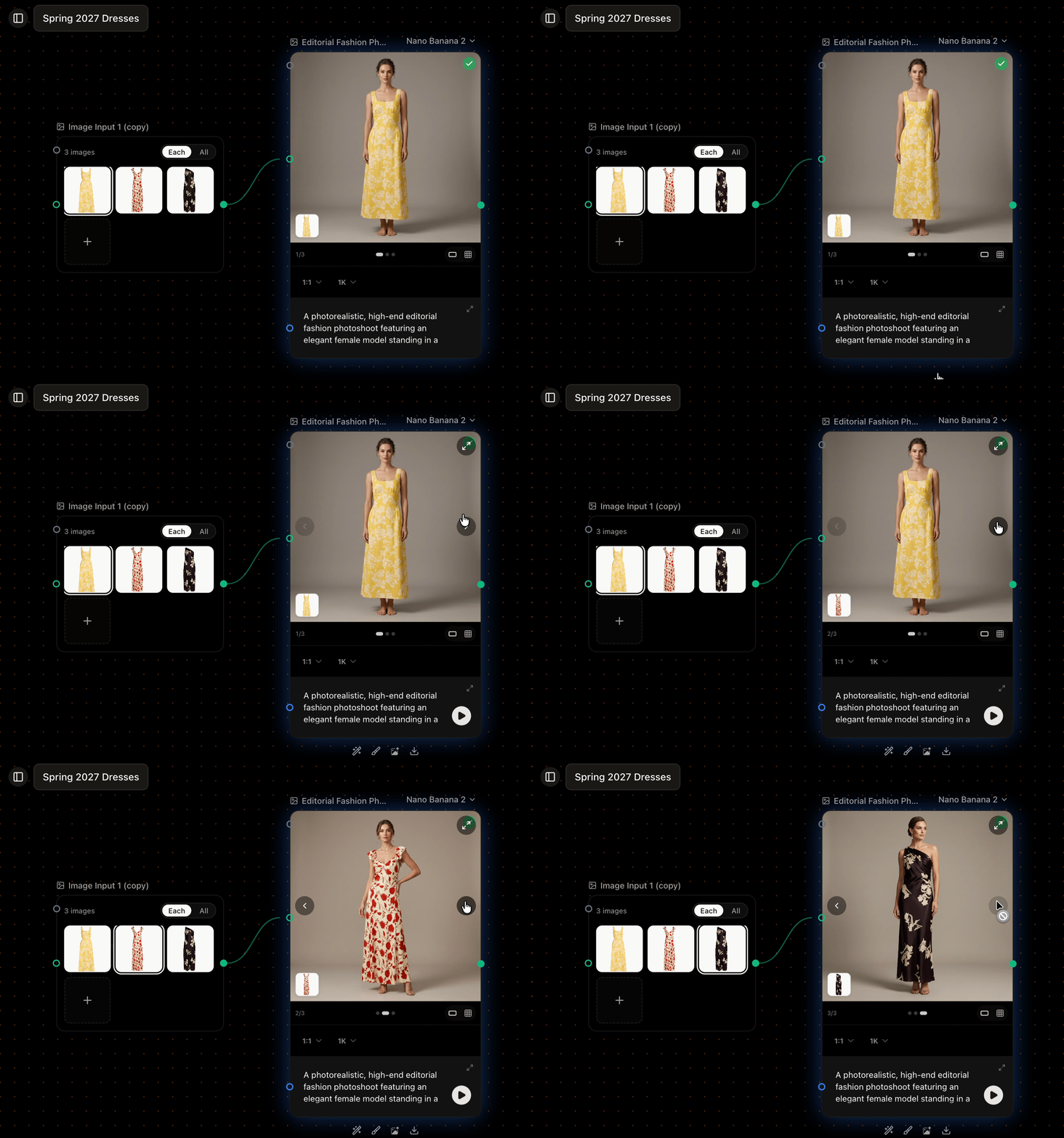
Each mode runs the generator once per item
All: items combined into one
In All mode, the items are bundled and sent together as a single generation. Use it when several inputs should shape one result—for example, three brand references guiding a single new image.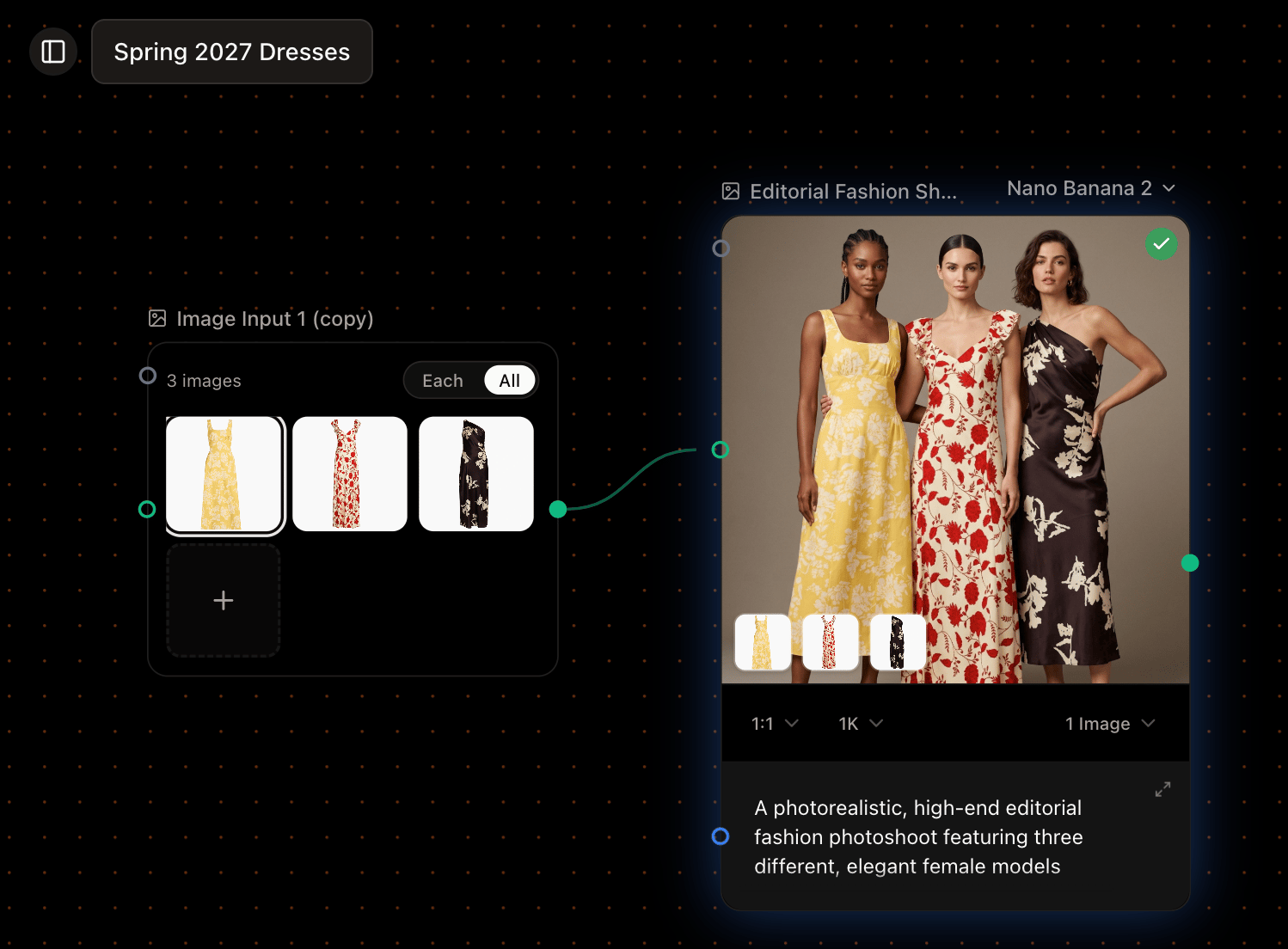
All mode sends every item into one generation
Which should I use?
- Reach for Each when each item should produce its own result—generating a set, exploring options, or running one prompt across many products.
- Reach for All when the items work together toward one result—combining reference images, or blending several inputs into a single generation.
Mix the modes
You can set one input to Each and another to All on the same generator. The Each input decides how many results you get; the All input is applied to every one of them. Ten products in Each mode, with three brand references in All mode, gives ten images—each using all three references.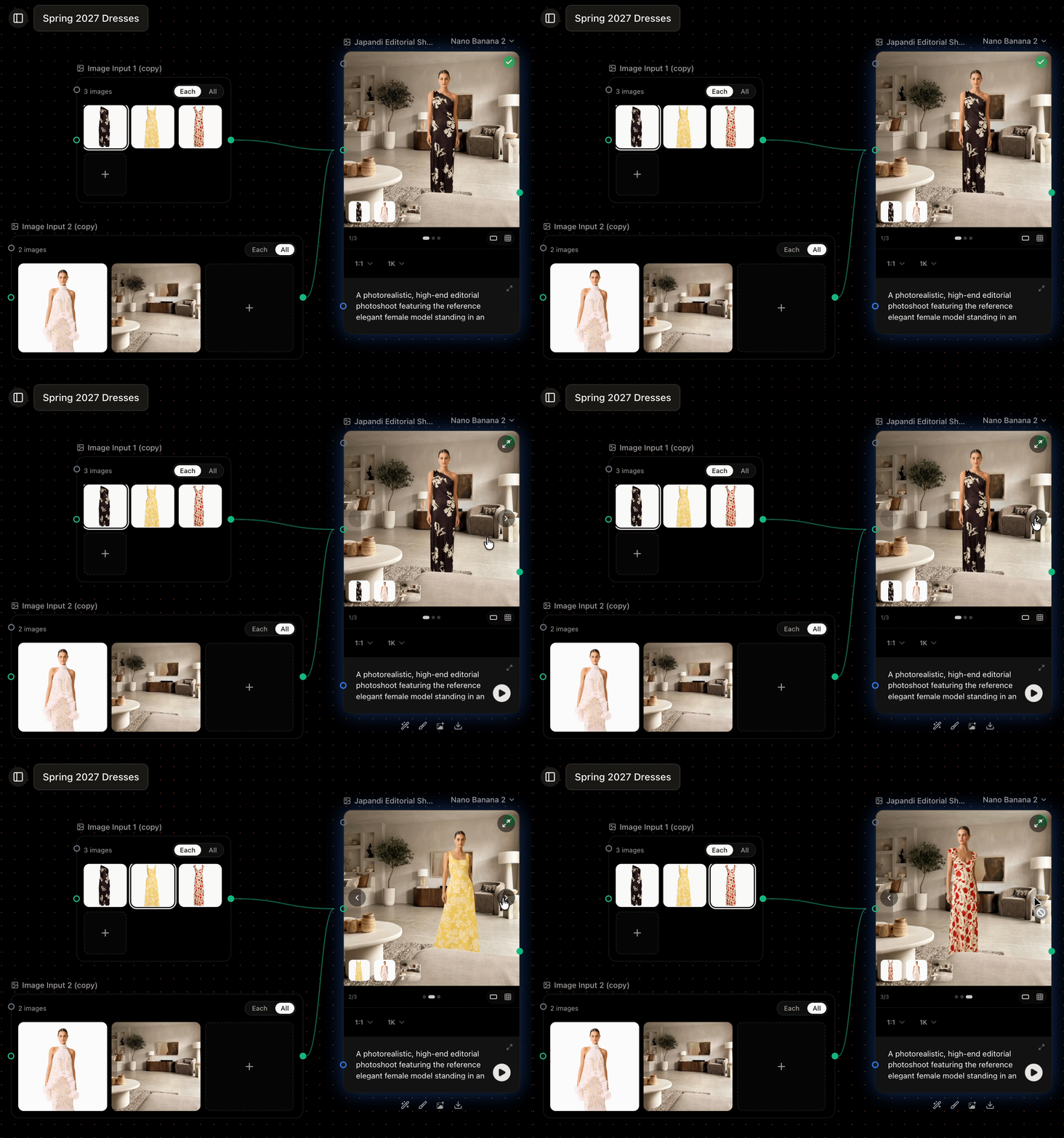
One input in Each mode and one in All mode, feeding the same generator
When two sets need combining
If two independent multi-item sources feed the same generator in Each mode, the result is ambiguous—Sprello can’t tell which item should pair with which. It asks you to add a Combinator to define the pairing, switch one source to All, or restructure.Good to know
- A single node can expand to at most 500 items. If a combination would exceed that, Sprello blocks the run and asks you to reduce inputs.
- Generations run a few at a time and the rest queue, so large sets finish in waves.
- Switching a source between Each and All recalculates the result count. Existing results aren’t deleted—switch back and they reconnect, no re-generation needed.
Next
Combine inputs with the Combinator
Pair every product with every material—or match them one to one.